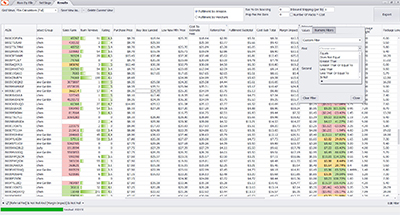
Search by Spreadsheet
Spreadsheet Formatting Requirements
Analyzer.Tools Spreadsheet Scan supports Excel and CSV files (.xls, .xlsx, and .csv).
For traditional spreadsheets that contain a UPC/EAN, ASIN or ISBN column, follow these guidelines:
- Worksheet: If your Excel file contains multiple tabs, place the data you want to scan in the first tab.
- Product IDs: Keep all UPCs, EANs, ISBNs, or ASINs in a single column. Purchase prices, if available, should be in a separate column.
- Formatting: Avoid unnecessary spaces, special characters, or other formatting in product IDs. Analyzer.Tools automatically corrects many common formatting issues.
- ID Types: Use one product ID type per scan. UPCs and EANs can be mixed, but avoid mixing other types, such as UPCs and ASINs, in the same column.
Noy UPC/EAN, ASIN or ISBN column in your spreadsheet? No problem! Use AI Title Search to find matching Amazon listings using product titles instead.


Related Articles
-
AI Title Search: Find Amazon Products Without UPC/EANs or ASINs
 Getting Started
Web
6 days ago
Getting Started
Web
6 days ago
-
Historical Trend Periods Now Adjustable in the Grid
Getting Started
Web
4 months ago
-
Override Incorrect Multi-Pack Quantities in Bulk
Getting Started
Web
5 months ago
-
Show Premium Data Selectively For Faster Scans
Getting Started
Web
6 months ago
-
Metric/Imperial Units, Digital Services Fee & Storage Fee Transparency
Getting Started
Web
6 months ago
-
Grid Autosave
Getting Started
Web
7 months ago